UbuntuPIT always likes free and open source software and tries to provide all those to its utmost users. Today, we will show you the best alternative to the Microsoft Office suite for Ubuntu Linux that is no other than LibreOffice Suite. It’s a top-rated and powerful office suite that comes with a modern and lean interface with lots of productivity tools and features that help to unleash the ultimate creativity. And apparently, it is the best free and open source office suite available in the market for Linux.
It’s supported by a well-managed community-driven tech group that always tries to bring many features whenever it releases a new version. Now, this app supports all the major platforms, including Linux, macOS, Windows, Cloud, and very soon, Android also.

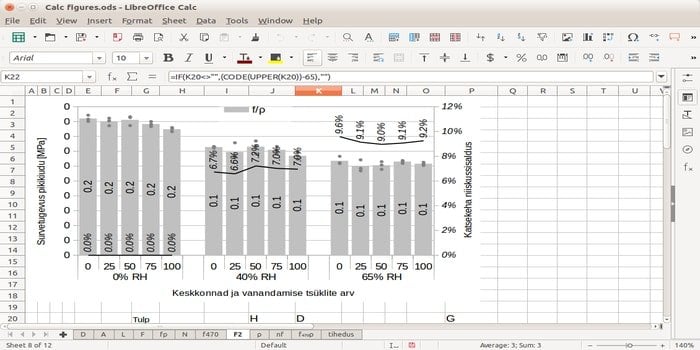
Over 25 million people use LibreOffice worldwide
LibreOffice features at a glance
- Compatible with Microsoft Office Documents.
- You can save files in EPUB format.
- Provides Elementary Icons.
- Offers detailed online knowledge base.
- Encrypted OpenPGP files or documents.
- Automatic Spellchecking.
- Modern and clean interface.
Check full changelog in Release Notes
How to Install LibreOffice on Ubuntu, Mint via official PPA
Open Terminal and run the following command to add the PPA and upgrade the office suite if installed earlier or by default.
sudo add-apt-repository ppa:libreoffice/ppa
sudo apt update
sudo apt-get dist-upgrade
Run the following command to install a fresh copy of LibreOffice.
sudo add-apt-repository ppa:libreoffice/ppa
sudo apt update
sudo apt install libreoffice
How to Restore or Revert Back
If you want to revert to the stock or original version, run the following command to purge the PPA.
sudo apt-get install ppa-purge
sudo ppa-purge ppa:libreoffice/ppa
Official Download
If you want to install it manually or on other Linux distros, then download the installer – deb file from the official project page. You can also find the installer for Windows and macOS.
Flathub
You can also install it from Flathub. Get the download file from the Flathub app stream.
Is this tutorial helpful? Let us know in the comment section. Share this content on your social media, which will let us make more content like this.