Sometimes using ordinary browsers become a headache to work on. And usually, it happens because of having so many functions in it. So here comes a modern browser called Colibri Browser. Unlike other web browsers, it is uniquely light and compact that will change the perception of your browsing experience.
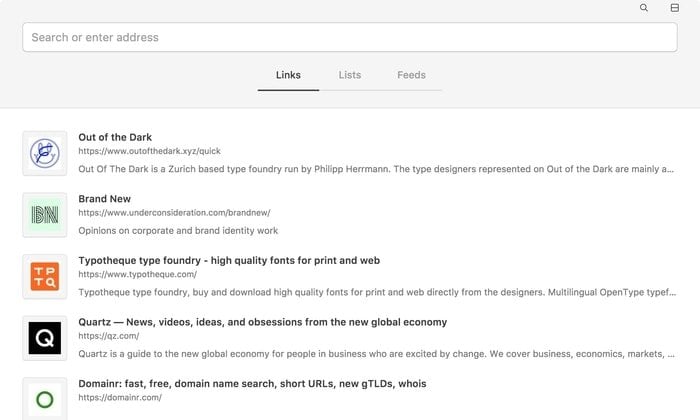
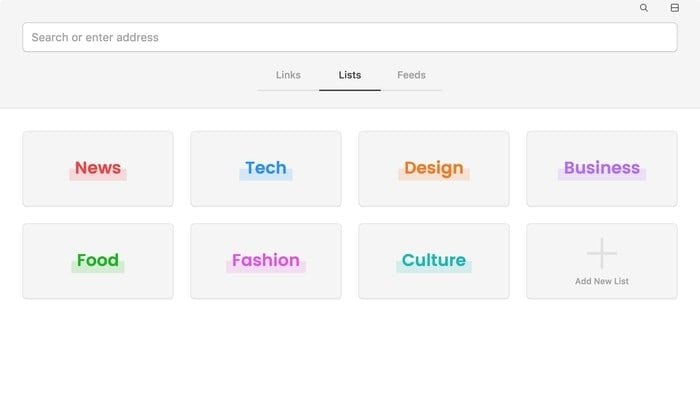
Colibri browser is designed for secure, speed-efficient and bug-free browsing. The key feature of this fantastic browser is its tab-less browsing interface. By eliminating tabs, this sophisticated browser delivers distraction-free browsing. Instead of tabs, Colibri comes up with three main section – Links, Lists and Feeds.
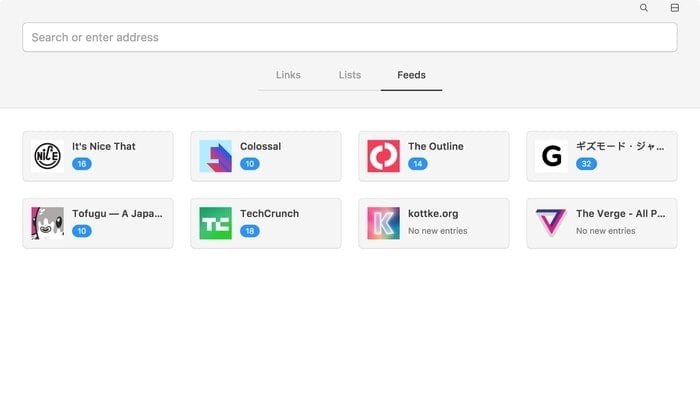
Features in Colibri Browser
- Downloading this application doesn’t cost money. It is free to download.
- Available for Mac, Linux and, Windows
- Three sections – Links, Lists, and Feeds
- Links – It stores all your history and bookmarked sites and offers you to save more page or site links to it with just a click.
- Lists – In the “Lists” section, you can arrange all the saved items into smaller groups or collections based on topic.
- Feeds – The “Feeds” section is where you can subscribe from to the web feeds and follow up. And it gets latest feeds automatically and keeps you updated all the time.
- Low RAM usage and loads page faster.
- Commands can be given using keyboard shortcuts.
You need to create an account in Colibri Browser to save all your links before using it. Since all your information gets synced, so you will be able to access your saved or favorite websites from any device running Colibri.
Install Colibri Browser in Linux
If you like to have a test surfing on Colibri, then run the following Snap command to install it on Linux:
sudo snap install colibri
The Last Words
Colibri Browser is a sophisticated web browser that differentiates itself by being uncluttered and eliminating tabs. Nothing can be easier to use than this on browsing field. A breath of fresh air can be brought to web browsing through Colibri.
If it is helpful, please take a precious moment of yours to share it on your professional social media. Your, this one simple step will encourage us more to write. And don’t forget to let us know about your suggestions, thoughts, and experience with Colibri.