If you are a modern gameplay lover, you may hear the name of Twitch.tv, which is a top-rated gameplay streaming service around here, just like YouTube. You can very well enjoy all the classic and modern gaming experiences of others on Twitch.tv via using your system browser. But watching gameplay streaming via browser or flash puts a lot of pressure on your system and is a resource hog. That’s where the name of Gnome Twitch comes into focus.
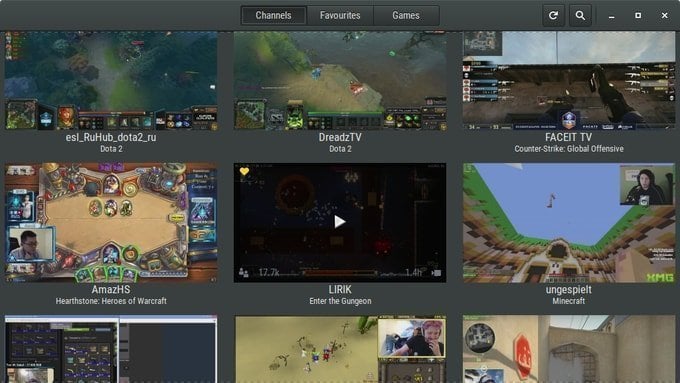
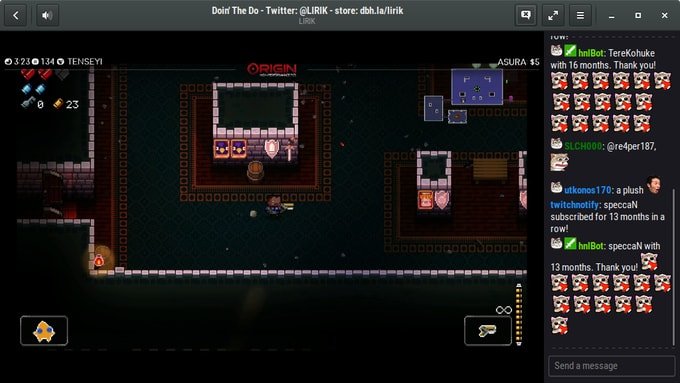
Gnome Twitch is a free, simple, and open source Desktop standalone Twitch software for Linux that lets you watch Twitch videos without any support for flash or browsers. It let you search for various channels, discover game titles, and watch the ultimate gaming portal. It also notifies the users when any favorite channels are going for live broadcasting. Moreover, you will not also miss the chat features with other users.
If you are looking for something less resource hog and an alternative to browser-based Twitch.tv, then definitely, you must go for Gnome Twitch.
Main Features
- Discover Channels or searching
- Watch and pause video streaming on Linux Desktop.
- Twitch log in and chat integration.
- Managing content is easy and effective.
- Enjoy gameplay with fully accelerated video.
- Users can change video quality.
- Keep track of your followers, whether you have a Twitch account or not.
How to Install Gnome Twitch on Ubuntu
You can install Gnome Twitch on Ubuntu via an unofficial PPA. Open the Terminal – Ctrl+Alt+T or search for “terminal” from the app launcher and run the following command one by one.
sudo add-apt-repository ppa:nilarimogard/webupd8
sudo apt-get install gnome-twitch
If you are not comfortable with the installation through PPA, download from the official site for various Linux distros.
Download Gnome Twitch
How to Remove Gnome Twitch
Run the below command to uninstall this software:
sudo apt-get remove --autoremove gnome-twitch
Note: The features mentioned here are not all-inclusive. The features mentioned are compiled either from their respective official websites or from my personal experience using them.