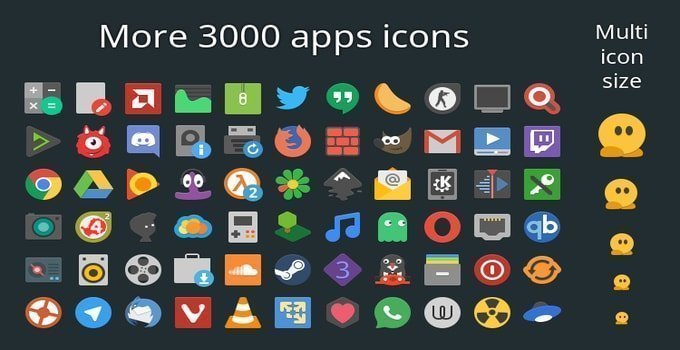
Papirus – it’s a free and open source SVG-based icon theme for Linux with the material and flat style. The Papirus Icon Theme is a unique and nice-looking theme. This theme was inspired by Sam Hewitt’s Paper theme. This theme supports both popular and new application icons.
Mentionable supported popular apps are Firefox, Twitter, Thunderbird, steam, opera, and much more, and Nocturn, Gmail, Cumulus, Gradio, and Pithos are mentionable for new coming apps.
Recommended Post: Top 22 Best Ubuntu Themes That Will Blow Your Mind
Screenshot of Papirus icon Theme


Install Papirus Icon Theme:
To change gtk themes on Ubuntu Gnome or Unity desktop, you need the Ubuntu Tweak tool or Gnome tweak tool installed on your system. In case you don’t have one, follow my tutorial two tutorials – How To Use Themes and Icons on Various Linux Desktop and How to Customize Gnome Shell with GTK Themes.
Now I will be showing you how to install this papirus icon theme on Ubuntu, Arch Linux, and Manjaro distros. Open the Terminal and run the following command into it:
- Install on Ubuntu via PPA:
sudo add-apt-repository ppa:varlesh-l/papirus-pack
sudo apt-get update
sudo apt-get install papirus-gtk-icon-theme
- Add PPA on Kubuntu:
sudo add-apt-repository ppa:varlesh-l/papirus-pack
sudo apt-get update
- Install on Arch Linux and Manjaro:
yaourt -S papirus-icon-theme-kde
If you don’t get comfortable with the Terminal and PPA installation method, then download the icon theme files:
Download the Papirus Icon Theme from Gnome-look
If you have questions, suggestions, or a word of thanks, feel free to comment below.
Recommended Post: Top 15 Best Gnome Shell Themes for Your Gnome Desktop
Note: The features mentioned here are not all-inclusive. The features mentioned are compiled either from their respective official websites or from my personal experience using them.