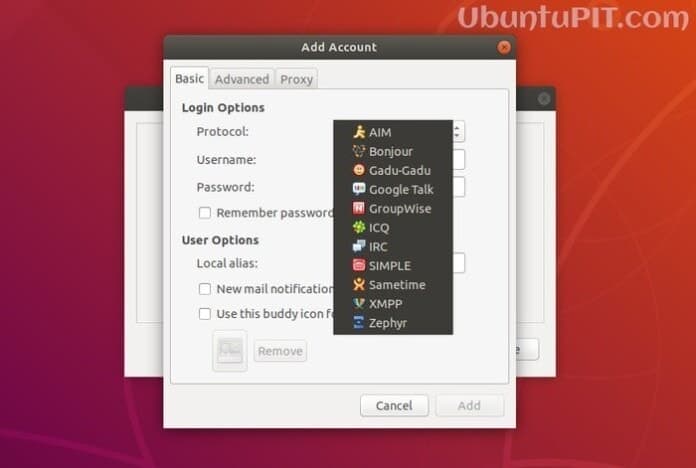
Pidgin is a free, simple, easy to use and open source instant messaging and chat program. It supports multiple chat and IM protocols like Google talk, IRC, AIM, ICQ, Bonjour, etc. Pidgin chat client let you log into multiple accounts simultaneously. You can chat or instant message with all your friends from various IM network protocols in one place at the same time. Pidgin is a cross-platform chat application runs on Linux, Windows and Unix based systems.
You get many features and tools as like any standard IM offers to interact with your friends and family. Including many features, buddy icons, file transfer, custom smiles, away messages, etc. are noteworthy. Basically, Pidgin chat client is developed for Linux environment, and that’s why it gets well integrated with Gnome or KDE desktop environment.
How to Install Pidgin Chat and IM Client
Recently a new version has been released 2.13.0. You can check the new features and bug fixes list. Ubuntu software repository comes with this IM app but you get an older version as it takes time to get updated with the latest version. So there is an unofficial Ubuntu PPA for installing latest Pidgin chat app in Ubuntu. This short tutorial will guide you with the procedure of how to install Pidgin in Ubuntu Linux.
Open the Terminal app (Ctrl+Alt+T) or search from the app drawer and run the below command one by one:
sudo add-apt-repository ppa:kip/pidgin
sudo apt-get install pidgin
How to Remove or Downgrade Pidgin
If you are not comfortable with the new version, you can always purge the PPA for removing or downgrading the Pidgin chat app into the stock version. To do that, run the following command:
sudo apt-get install ppa-purge
sudo ppa-purge ppa:kip/pidgin
Is this simple tutorial helpful? Let me know your suggestions and experiences in the comment below. And don’t forget to share it on social media. Thanks for visiting my site.