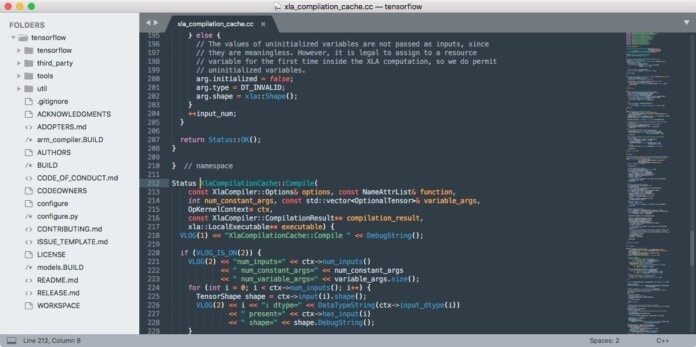
Many of us often face a situation when dealing with some programs and software becomes completely impossible without a text editor. So, this time, I have come up with a great solution, which is the Sublime Text Editor. It is, in fact, a super-fast text and development editor with a handful of amazing features. Especially for Linux and Ubuntu users, Sublime Text Editor has comparatively a greater essence. Even for a longer period, it is regarded as one of the best Linux text editors.
Features of Sublime Text Editor
The sublime text editor is a member of the popular Sublime HQ family. Both the Linux, Mac and Windows users happily and smoothly handle many of their tasks with it. But for Linux, most of the users eagerly accept as one of the best Linux code editors. Let me show you the basic features and functions of this fascinating application.
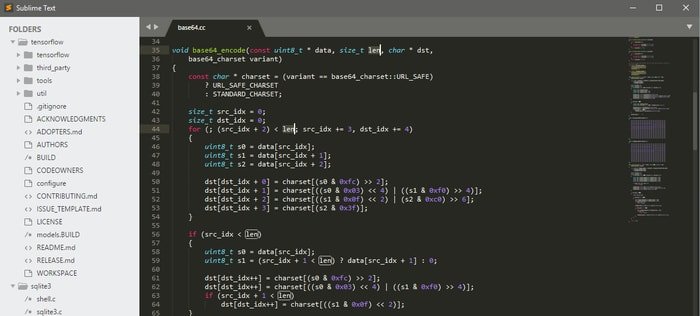
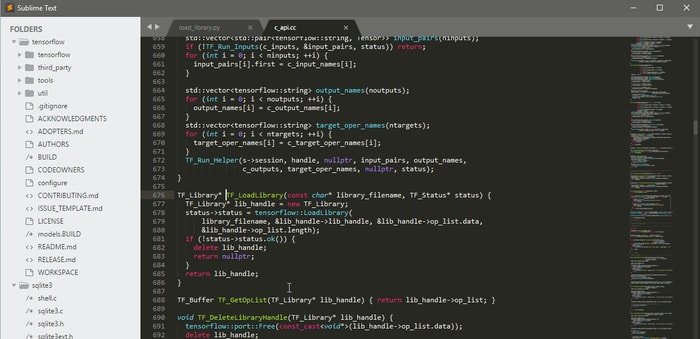
- It is a lightweight and free application, optimized for speed and quality.
- Switching projects is possible, and it occurs instantly. So, you don’t need to save particular files as it stores whatever you modify or edit.
- Multiple programming languages and markup languages are supported.
- You can customize it just with the JSON files.
- The Python API will activate the plugins for built-in functionality.
- Extensive GOTO Definition is tagged with quick and improved navigation and symbols.
- Command Palette will provide a fast keyboard invocation.
- It comes with syntax highlighting, split editing, and code snippets.
Last year, the Sublime text editor was released its latest version. For this newest edition, you get some extra advanced features like panel switcher, preview tab and image, status bar with the function of encoding and line ending, and many more.
Final words
This editor is minimal, clean, and in a deeper sense, very easy to use if you have the principal knowledge of it. Aesthetically, it is very rich in features and functions. So, it is diplomatically hard to make an intense tracing of it with a word limitation. However, I have tried to disclose it with almost all its basics. Now, think it twice if you have any confusion about it. If so, please let us know those problems and always stay in touch.